
1. INTRODUCTION

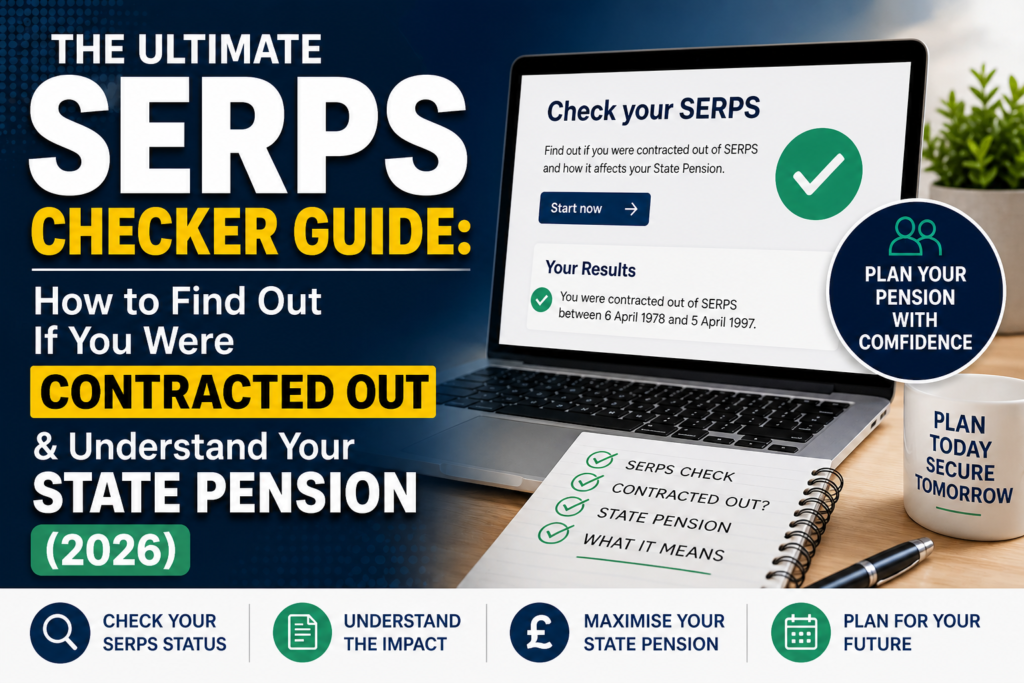
More than 4.5 million people in the UK were contracted out of the Additional State Pension at some point in their careers. For decades, millions of employees paid lower National Insurance contributions in exchange for building up a workplace or private pension. Now, as retirement looms, a simple question keeps appearing: Was I contracted out of SERPS, and what does that mean for my State Pension?
Put simply, SERPS (the State Earnings‑Related Pension Scheme) was the top‑up state pension that ran from 1978 until 2016. If you ever chose – or were automatically opted – to leave SERPS and build your own additional pension elsewhere, you were “contracted out”. Today, that decision directly affects the amount you receive from the new State Pension.
In this SERPS checker guide, you’ll learn:
- What contracting out really means for your retirement income in 2026.
- A step‑by‑step process to check if you were contracted out – using free government tools.
- How to request and read a State Pension forecast like a pro.
- What the mysterious COPE figure tells you (and what it doesn’t).
- Where to get help if your forecast is lower than expected.
Grab a cuppa and your National Insurance number. Let’s demystify your State Pension.
2. WHAT IS SERPS AND CONTRACTING OUT? (2026 UPDATE)
The State Pension Layers
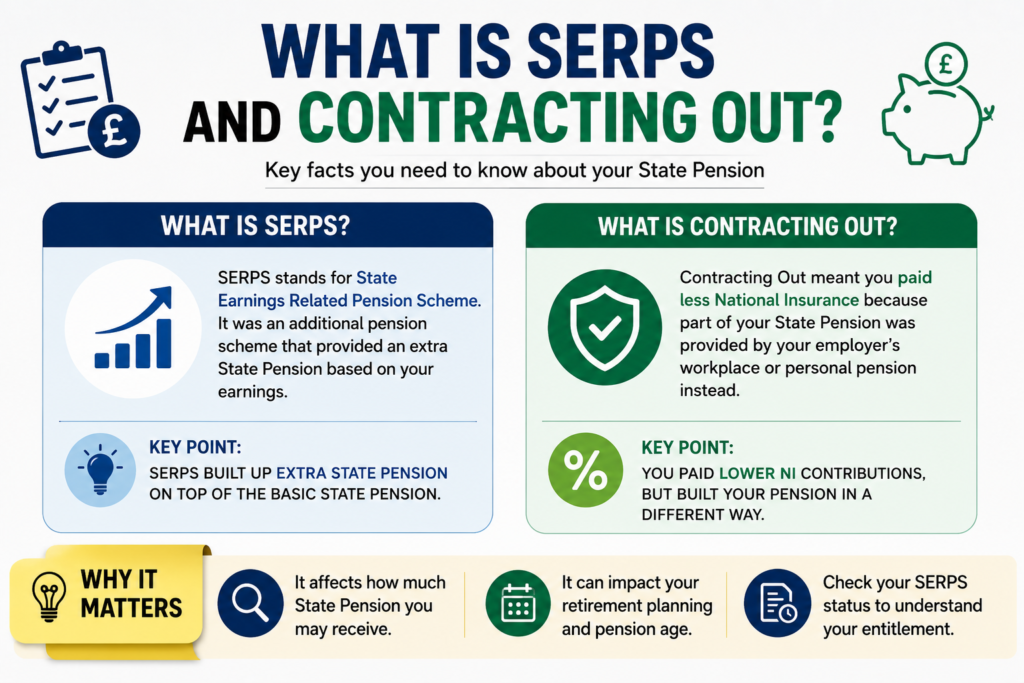
Until April 2016, the UK State Pension was made up of two parts:
- Basic State Pension – the flat‑rate foundation everyone builds if they pay enough National Insurance.
- Additional State Pension – an earnings‑related top‑up. This was originally called SERPS (1978–2002) and later the State Second Pension (2002–2016).
Contracting out meant opting out of the Additional State Pension and paying lower NICs (or receiving a rebate) into a workplace or personal pension instead. You built up a private “second pension” rather than relying on the state for that extra layer.
The Big Shift in 2016
On 6 April 2016, the government scrapped the two‑tier system and introduced the single‑tier New State Pension. A “starting amount” was calculated for everyone, blending rights from the old and new systems. For many, a Contracted‑Out Pension Equivalent (COPE) was deducted from that starting amount – because they already had a private pension pot from the years they were contracted out.
Key point for 2026: Contracting out finally ended. No one can be contracted out today. But the legacy of those decisions still lives inside your State Pension statement. You can no longer change your contracted‑out history, but you can top up gaps with voluntary NICs.
| Period | Scheme Name | Who Could Contract Out? |
|---|---|---|
| 1978 – 2002 | SERPS | Members of salary‑related (defined benefit) and some money‑purchase schemes |
| 2002 – 2012 | State Second Pension (S2P) | All occupational schemes; personal pensions could contract out only via “protected rights” |
| 2012 – 2016 | S2P | Contracting out was abolished for money‑purchase schemes from 2012; defined‑benefit schemes could still contract out until 2016 |
3. OFFICIAL GOVERNMENT DATA VS. THIRD‑PARTY PENSION CALCULATORS
You have two main sources of information when you check your SERPS status:
“Field Data” – Your Official HMRC / DWP Record
- GOV.UK “Check if you were contracted out” – instant yes/no lookup using your NI number.
- State Pension forecast online – uses your real NI contribution record held by HMRC.
- Personal Tax Account – shows tax years and contracted‑out history by year.
These are the source of truth. Google uses field data from Chrome users to judge page speed; your State Pension forecast is your field data – based on actual contributions and contracted‑out years.
“Lab Data” – Pension Calculators & Illustrations
Tools from MoneyHelper, pension providers, and spreadsheet estimators project your future State Pension based on assumptions. They are excellent for modelling “what if I buy back 4 years?” but will never override your official record.
Golden rule: Always start with your official State Pension forecast before playing with any calculator. That forecast will contain a COPE estimate if you were ever contracted out – a number you cannot ignore.
4. HOW TO CHECK YOUR SERPS / CONTRACTED‑OUT STATUS: A 7‑STEP AUDIT
(This section is the basis for our downloadable checklist – see the end of the post.)
Step 1 – Gather Your Essentials
You need your National Insurance number and access to a recent payslip or P60. If you have old pension scheme letters, have them ready; look for phrases like “contracted‑out of SERPS” or “protected rights”.
Step 2 – Use the HMRC Online “Check if you were contracted out” Tool
Visit the official GOV.UK page: Check if you were contracted out (external). Log in with your Government Gateway or GOV.UK Verify. The screen will instantly tell you whether you were contracted out, and for which employers.
Step 3 – Cross‑Check Your Payslips and P60s
Old payslips may show a lower NI letter code – commonly D, E, or N – indicating you were in a contracted‑out scheme. If you spot a “contracted‑out” deduction line, that’s another clue. Keep those documents for your records.
Step 4 – Request Your State Pension Forecast
Head to www.gov.uk/check-state-pension. You can view your forecast online in minutes, or request a paper BR19 statement by phone or post. The online forecast is the quickest route.
Step 5 – Locate the COPE (Contracted‑Out Pension Equivalent) Figure
Scroll down your forecast until you see a box or line marked Contracting‑Out Pension Equivalent (COPE). This is the estimated weekly amount that your private pension should provide because you were contracted out. Do not panic – we’ll explain this in Section 6.
Step 6 – Compare Your Estimated State Pension to the Full Rate
In 2026, the full New State Pension is £221.20 per week (assuming triple‑lock increases). If your estimate is lower, check the difference. The first place to look is your number of qualifying years – you need 35 years (often more if you were contracted out for a long period).
Step 7 – Identify and Address Gaps
Your forecast will list any years where you didn’t pay enough NI. Missing years before 2016? You may be able to plug them by paying voluntary Class 3 NICs. After 2016, you can only fill gaps from the past 6 years. Use the “Check your National Insurance record” link from your Personal Tax Account to see which years are short.
5. UNDERSTANDING YOUR STATE PENSION FORECAST – PLAIN ENGLISH WALKTHROUGH
When you open your official forecast, you’ll see three main sections. Here’s what the numbers mean:
A. Your Starting Amount (as of April 2016)
This was calculated on the day the New State Pension launched. It is the higher of:
- The amount you would have received under the old Basic + Additional State Pension rules (including any deduction for contracting out).
- The amount under the new rules, which deducts a COPE if you were contracted out.
Your starting amount is the baseline from which further NI years from 2016/17 onwards are added.
B. Your Estimated State Pension Today
This is what you will get based on your NI record up to the current tax year. For every qualifying year you add after 2016, you can gain around £6.32 per week (2026/27 value) until you reach the full amount, or state pension age – whichever is earlier.
C. COPE – The Number Most People Obsess Over
The COPE tells you: “You were contracted out for X years, so the government expects your private pension schemes to deliver at least £Y per week in retirement.” It’s a memo item, not a cash deduction from your State Pension payment. Your State Pension forecast already accounts for it.
Example:
Your State Pension forecast says £180 per week. The COPE is £40. This means your private pensions should (hopefully) top you up to at least £220 per week in total. The £180 is what the DWP will pay you. The COPE is just an estimate of what your private provision should add.
6. THE COPE EXPLAINED – NO, YOU AREN’T LOSING MONEY TWICE
COPE = Contracted‑Out Pension Equivalent. It is the amount of pension income your private scheme is expected to provide because you were contracted out of SERPS/S2P. The DWP calculates it based on the National Insurance rebates you and your employer received.
Three big points to remember:
- COPE is not deducted from your bank account. The DWP will not remove COPE from your monthly State Pension payment. The number is for your information only.
- It may not match your actual private pension. Market performance, scheme changes, or early transfers could mean your private pot is bigger or smaller than the COPE estimate. Track down your old schemes.
- You cannot “pay off” the COPE. Once contracted out, those years remain contracted out. But you can still reach the full State Pension by adding more qualifying years if you have the capacity to do so before state pension age.
7. SERPS STATUS CHECKLIST
Use this quick checklist whenever you review your retirement plans. Mark each item as you go:
- NI number and Government Gateway login ready
- Run the “Check if you were contracted out” tool – note result: Yes / No
- Find an old payslip or P60 with NI letter D, E, N, or L
- Order State Pension forecast online (or BR19 request)
- Locate COPE amount in forecast – note the weekly figure
- Check qualifying years – do you have 35+? If not, list missing years
- Compare forecast to full New State Pension (£221.20 in 2026)
- Check NI record for gaps eligible for voluntary contributions
- Trace any lost pension pots using the Pension Tracing Service
- Book a free Pension Wise appointment if over 50 – get personalised guidance
8. TOOLS, HELPLINES, AND ONGOING MONITORING
Official Portals (2026)
- GOV.UK State Pension forecast: gov.uk/check-state-pension
- HMRC Personal Tax Account: view your NI record, gaps, and contracted‑out years.
- Pension Tracing Service: free service to find lost workplace pensions.
Free Guidance
- MoneyHelper (formerly Pension Advisory Service) – phone and webchat.
- Pension Wise – free, impartial appointments for the over‑50s.
Monitoring tip: Revisit your forecast every tax year. A few extra weeks of work can turn a non‑qualifying year into a full one, adding to your final State Pension.
9. FREQUENTLY ASKED QUESTIONS (FAQ)
1. What is SERPS?
SERPS (State Earnings‑Related Pension Scheme) was the earnings‑related top‑up to the basic State Pension between 1978 and 2002. It was later replaced by the State Second Pension until both were replaced by the New State Pension in 2016.
2. What does “contracted out of SERPS” mean?
It means you opted out of building the Additional State Pension and instead paid lower NI contributions (or received a rebate) into a workplace or personal pension. That private scheme took responsibility for providing the extra pension income.
3. How do I check if I was contracted out of SERPS?
Visit GOV.UK’s “Check if you were contracted out” tool and log in with your Government Gateway account. The screen instantly confirms whether you were contracted out and for which employers. You can also look for NI category letters D, E, or N on old payslips.
4. Is there a free SERPS checker tool?
Yes. The official HMRC checker is free, and your online State Pension forecast is free. There is no charge to verify your status or to view your NI record.
5. How do I get a State Pension forecast?
Go to www.gov.uk/check-state-pension and verify your identity. You can view your forecast immediately. Alternatively, call 0800 731 0175 to request a paper BR19 statement by post.
6. What does the COPE number mean on my State Pension forecast?
COPE (Contracted‑Out Pension Equivalent) is the estimated weekly amount your private pension should deliver because you were contracted out. It is for illustration only; your State Pension is not reduced by this amount – it is already reflected in your forecast.
7. Will contracting out reduce my State Pension?
Possibly. Your State Pension starting amount was calculated with a deduction for contracted‑out years, so you might receive less than the full rate. However, you may still reach the full amount by accruing more qualifying years after 2016.
8. Can I still get a full State Pension if I was contracted out?
Yes, many people can. Even if your starting amount was below the full rate, every qualifying year from 2016/17 onwards adds about £6.32 per week until you hit the maximum, or reach state pension age.
9. How many years of National Insurance do I need?
For the new State Pension you generally need 35 qualifying years to receive the full amount. If you were contracted out, you may need more than 35, depending on your starting amount.
10. Where can I find my old pension schemes if I don’t have paperwork?
Use the government’s free Pension Tracing Service at gov.uk/find-pension-contact-details. You can search by employer name. The service provides contact details so you can request a transfer value or pension statement.
10. CONCLUSION
Your SERPS and contracted‑out history is a permanent chapter in your retirement story, but it’s not the whole book. Armed with the steps above, you can check your status in minutes, obtain a crystal‑clear State Pension forecast, and understand exactly what the numbers mean for your wallet.
The seven‑step audit – from the HMRC online check, through the forecast request, to gap analysis – transforms a confusing acronym into an actionable plan. Bookmark this page and re‑run your audit whenever you change jobs, receive a P60, or approach state pension age. Small, informed actions today (like plugging a single missing NI year) can add thousands to your lifetime retirement income.
Next Read: State Pension Age Calculator: When Can You Claim? – know your exact retirement date before making contribution decisions.